· The Dokun team
Car wash stamp card: what to give after how many washes
Car washes rarely lose customers on price; they lose them by being forgotten. A car wash loyalty card closes that gap: customers see how many washes they've had, and you see who comes back how often.
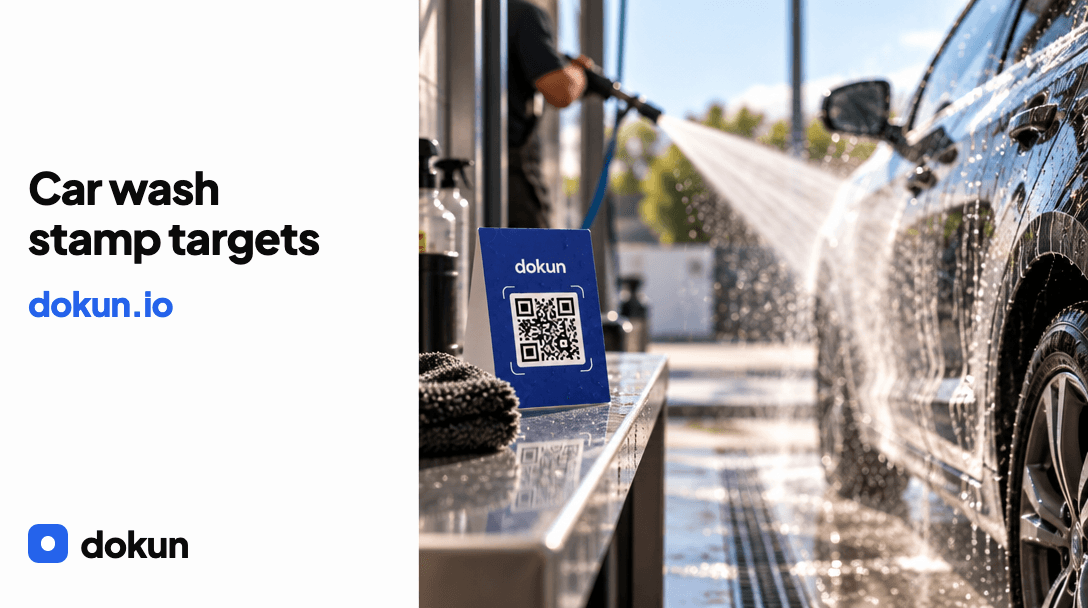
Car washes rarely lose customers on price; they lose them by being forgotten. A car wash loyalty card closes that gap: customers see how many times they've had their car washed, and you can read in the dashboard who comes in and how often.
In this post I cover what to give after how many washes, how to set the target based on cost and a setup that doesn't slow down the till.
How stamps work at a car wash
Car washing is a seasonal business: visits go up in summer and drop in winter. So it's better to set the target based on the yearly average rather than on a single pace. The customer scans the QR code once with their phone and the card is added to Apple Wallet; on later visits your staff add the stamp from their own screen. There's no app to download.
What to give after how many washes
Set the target based on what the reward costs you. There are three typical options:
- A free exterior wash: the most popular reward; keeping the target between 6 and 8 stamps keeps the cost per stamp low.
- A discount: low cost, but also low impact on customers.
- An add-on service (such as interior cleaning or a wax): because it costs more, you'll need to raise the target.
These numbers are just examples; decide based on your own price list and margin.
Seasonal targets
If customers come less often in the winter months, changing the reward can work better than lowering the target: instead of a free exterior wash, offer a small add-on service in winter. That way the cost per stamp doesn't go up, and customers get a reason to come in during winter. The numbers in your own dashboard show best which setup works.
How to set up a car wash loyalty card
- Choose the card type: with only a few services, a stamp card is the easiest to understand.
- Set the stamp target and the reward.
- Place the QR table card in the waiting area, at the payment point and where cars are handed back.
- Teach your team two lines: do you have a card? If not, just scan the QR code.
- Track sign-ups in the dashboard during the first month.
Print-ready table card and poster templates are ready in the dashboard; add your logo and print.
Do you need a number plate or payment card details?
No. The card is added to Apple Wallet without the customer giving any payment card details. If you don't want to keep a list of number plates, you don't have to; you track customers by their stamp count alone. If you want to send promotional messages, customers need to give their consent first, and if you process personal data, GDPR obligations apply on top. A simple setup keeps compliance simple too.
How to bring customers back in winter
For customers who have given consent, two ideas work: a reminder timed around your busy days and a seasonal announcement (winter care, road salt removal and the like). Don't send too many messages; once or twice a month is enough.
The numbers to watch
- Stamps added during the day
- Customers who saved the card
- Repeat customer rate
All three show live in the dashboard, and staff tracking shows who added each stamp. If the numbers look low in the first week, that's normal: sign-ups grow with how visible the QR code is and whether your staff ask.
The 7-day free trial is all you need to set up your own card: start at https://dokun.io/en/signup and compare plans at https://dokun.io/en#pricing. Setup examples for other industries are on the blog: https://dokun.io/en/blog
The Dokun team
Dokun lets businesses set up a digital loyalty card that lands in Apple Wallet with no app to download. Stamps, points and campaigns for cafés, barbers, salons and small shops.